decision_ai: a Flutter library for jev-style decisions, through an API or with on-device inference
How to install it, which way to initialize it in each case, which models already work and how to optimize, on the phone, in the browser or behind an API.
This article is an English translation of the original article written in Portuguese, you can find it here.
A Flutter library for Jev-style typed decisions: the same code to call an API or to run the model inside the app, on the phone or in the browser.
If you read the Dinah-0 post, you know I ended it with a question: instead of “what is the biggest model we can put here?”, maybe it’s worth asking “what is the smallest model that learned exactly what we need?”. Well, if Dinah fits on my Mac’s CPU, she fits in someone’s pocket, right? So I built the missing library for that: decision_ai.
This post is its guide: what it solves, how to install it, the ways to initialize it and when to use each one, the models that already work, and what I learned about optimization along the way (some of it the hard way).
What it solves
Deciding is always the same thing: you have a state (a text or a JSON value) and typed questions about it. These are Jev’s three types:
| type | you give | you get |
|---|---|---|
Choice | labels, each with an optional description | the chosen label, the probability of each one and the confidence |
Noul | a statement (and, if you want, what “true” and “false” look like) | the probability that the statement is true |
Score | ordered levels, from lowest to highest | the expected level (0 to n-1) and the probability of each level |
No text is generated and nothing is parsed: every answer comes from a single forward pass of the model, which scores each option.
1
2
3
4
5
6
7
8
9
10
11
12
13
14
15
16
17
final ai = await DecisionAI.huggingFace('Lukitaduarte/dinah-0');

final answers = await ai.decide(
  state: 'The package arrived broken and I need it for tomorrow.',
  questions: {
    'intent': const Choice({
      'refund': 'The customer wants their money back',
      'replacement': 'The customer wants a new unit sent',
      'complaint': 'The customer only wants to complain',
    }, instructions: 'What does the customer want?'),
    'urgent': const Noul('The customer needs it soon.'),
  },
);

answers['intent']!.choice;        // 'replacement'
answers['intent']!.probabilities; // {refund: 0.002, replacement: 0.971, complaint: 0.027}
answers['urgent']!.noul;          // probability that the statement is true
Installation
1
2
dependencies:
  decision_ai: ^1.0.0
The package is on pub.dev: pub.dev/packages/decision_ai.
Each platform needs a small tweak, and all of them come from the runtime that runs the model underneath, ONNX Runtime 1.23:
- iOS (16 or newer): in
ios/Podfile,platform :ios, '16.0'anduse_frameworks! :linkage => :static. - Android: the
android.permission.INTERNETpermission in the mainAndroidManifest.xml, if the app downloads models or calls an API (Flutter only adds it to debug builds, and that silently breaks the published app), and the rule-keep class ai.onnxruntime.** { *; }inproguard-rules.pro, for release builds. - Web: the
onnxruntime-web@1.23.0files (ort.wasm.min.js,ort-wasm-simd-threaded.mjsandort-wasm-simd-threaded.wasm) inweb/ort/, loaded inindex.htmlbeforeflutter_bootstrap.js.
The ways to initialize it, and when to use each one
Every way returns the same interface, DecisionEngine, so switching from one to another doesn’t change the rest of your code. That was the library’s first premise.
1. The model inside the app:
1
final ai = await DecisionAI.local(); // reads assets/model/decision_ai.json
Use it when the app has to work offline from the very first launch and package size isn’t a problem. Dinah adds 165 MB to the app.
Just don’t forget to declare the model’s folders as assets in your app’s pubspec.yaml. Flutter only ships what is declared, and a folder doesn’t include its subfolders, so each one needs its own line:
1
2
3
4
flutter:
  assets:
    - assets/model/        # decision_ai.json and tokenizer.json
    - assets/model/onnx/   # the model file
Without it, the app builds fine and only breaks when it tries to load the model, with an “Unable to load asset”.
2. Downloaded from Hugging Face the first time:
1
2
3
4
5
final ai = await DecisionAI.huggingFace(
  'Lukitaduarte/dinah-0',
  revision: '07c6884439df7c3d2cd01eea16924ed07b866dea',
  onProgress: (file, received, total) => print('$file: $received of $total'),
);
Use it when you want a small app in the store. The model is downloaded once, checked with SHA-256, cached, and works offline afterwards. If I can give you one tip: pin the revision to a commit. Without it, the model can change under your app the day someone updates the repository.
3. From any HTTP server:
1
final ai = await DecisionAI.remote(ModelSource.url('https://cdn.your-domain.com/models/dinah/'));
The same as Hugging Face, but from your own CDN or bucket. Use it for private models or when you want to control distribution.
4. In the browser: the same huggingFace and remote calls work on the web. The model runs in WebAssembly, in a worker, and the browser handles the cache. Use it for demos and for web products without a backend.
5. Behind an API:
1
2
final ai = DecisionAI.api(endpoint: 'https://provider.com/v1/systemone', apiKey: key, model: 'model');
final ai = DecisionAI.openRouter(apiKey: key, model: 'provider/model');
Use it when the decision needs a big model: world knowledge, long reasoning, huge texts. Here the library is just a typed client for the decisions format.
6. Assembling the pieces yourself:
1
final ai = DecisionAI.custom(runtime: myRuntime, reader: myReader, calibrator: myCalibrator);
For when you want another inference engine (TFLite, Core ML, llama.cpp) or a model format the library doesn’t know.
To sum up the choice:
| situation | way |
|---|---|
| offline from the first use | local() |
| small app, open model | huggingFace() with a pinned revision |
| private model or your own CDN | remote() |
| nothing to install | the same calls, on the web |
| the decision needs a big model | api() or openRouter() |
Supported models
Under the hood, a local model is made of four replaceable pieces: a Runtime (ONNX Runtime on the phone, ONNX Runtime Web in the browser), a Tokenizer, a Calibrator and a Reader. The reader is what changes from one model family to another: it knows how to build the question in the format the model learned and how to read each option’s score. The library ships three: option-reader (Dinah), laya (Laya) and label-logits (LLMs).
Every row below was checked question by question against the original Python code, on the same 64 questions:
| model | kind | size | iOS | Android | browser |
|---|---|---|---|---|---|
| Dinah-0 | encoder, 150M | 165 MB | 64/64 | 64/64 | 63/64 |
| SmolLM2-135M-Instruct | LLM, 135M | 182 MB (the repository’s own file) | 64/64 | 64/64 | 63/64 |
| Laya | ModernBERT-large encoder, 421M | 275 MB (a community 4-bit port) | 64/64 | 62/64 | 62/64 |
| Verdict | GLiClass encoder, 151M | 606 MB | 64/64 | 64/64 | not measured |
| Qwen2.5-0.5B-Instruct | LLM, 494M | 694 MB (our own export) | 64/64 | 64/64 | not measured |
On a real iPhone XR (from 2018), Dinah answers in 0.93 s per question and matches Python on 64 of 64. In the browser, she takes about 0.9 s. The differences in the browser come from a JavaScript detail: there, 532.0 and 532 are the same number, so the model gets 532 where Python wrote 532.0. On Laya, the 4-bit kernels also change the math a little on Android and in the browser.
Verdict, by the way, comes into the example app through a reader the app registers itself. It’s the example of how to plug in a family the library doesn’t know:
1
DecisionAI.registerReader('gliclass', GliClassReader.new);
How to bring any Hugging Face model
It took me a while to understand one simple thing here: the only mandatory “port” is the reader. Exporting the model is a choice.
Many repositories already publish ready-made ONNX files (SmolLM2 has an onnx/ folder). For those, one command writes the manifest from config.json, with no export at all:
1
2
python tool/export_causal_lm.py manifest --model HuggingFaceTB/SmolLM2-135M-Instruct \
  --onnx onnx/model_q4.onnx --template-file template.txt --out smollm2
So when is exporting worth it? We measured both paths on SmolLM2:
| size | answers equal to fp32 | per question (iOS / Android) | |
|---|---|---|---|
| the repository’s own ONNX, no export | 182 MB | 45 of 64 | 611 / 1,101 ms |
| exported with our script | 181 MB | 64 of 64 | 237 / 259 ms |
Both run exactly like Python. The difference is that the published file is 4-bit and returns scores for every position in the text, while the export keeps the weights in 8 bits and returns only the last position, which is the one that matters. On Qwen2.5 that difference stopped being a detail: the published file returns 151 thousand scores per token, and Android killed the app for running out of memory. With the export, it runs on both systems at about 1 s per question.
So the design ended up like this: the library provides the mechanisms, and everyone takes the original model and uses it however they want, optimizing it or not.
Optimization recommendations
Everything here was measured, and I found almost all of it because something went wrong first:
- 8-bit weights, with the math in fp32. It’s the best balance I found: a quarter of the size and 64 of 64 matching answers. Leave
MatMulNBits’accuracy_levelunset. Withaccuracy_level=4, which also quantizes the activations, iOS gave 64 of 64 and Android 61 of 64, because the two ONNX Runtime builds use different kernels. - Stay away from dynamic int8 quantization. Same problem, worse: on ONNX Runtime 1.23, Dinah in dynamic int8 agreed with fp32 on only 75.7% of the answers.
- Always compare with fp32 before choosing. Not every model handles quantization: Verdict in 8 bits changed 10 of 64 answers, so it runs in fp32.
- On an LLM, return only the last position. That’s what makes the export up to 4 times faster than the published file, and what keeps it from blowing up memory.
- Model size against the device’s RAM. A 700 MB model that returns hundreds of MB per question doesn’t fit on a regular phone. When in doubt, test on Android, which is the first to kill the app.
- Pin the
revisionof everything that comes from Hugging Face. - On the web, serve everything from your own site (
flutter build web --no-web-resources-cdn, plusonnxruntime-weband the fonts locally). Brave Shields blocks CDN scripts and leaves a blank page. Inference already runs in a worker: without it, the browser freezes the page on every question. - Nothing gets cut. If the question doesn’t fit the model’s context, the library throws
RequestTooLong. I’d rather have a clear error than an answer about half of the text.
And a lesson that holds for any port: a passing test proves nothing, what proves it is comparing with the original. Comparing with Python is how we found a wrong reference tokenizer, Android disagreeing with iOS, and Dinah playing half blind in the browser because of a single line (1 << 62 becomes zero when Dart is compiled to JavaScript, and that turned off every merge in the tokenizer: only 14 of 64 answers matched, until the fix).
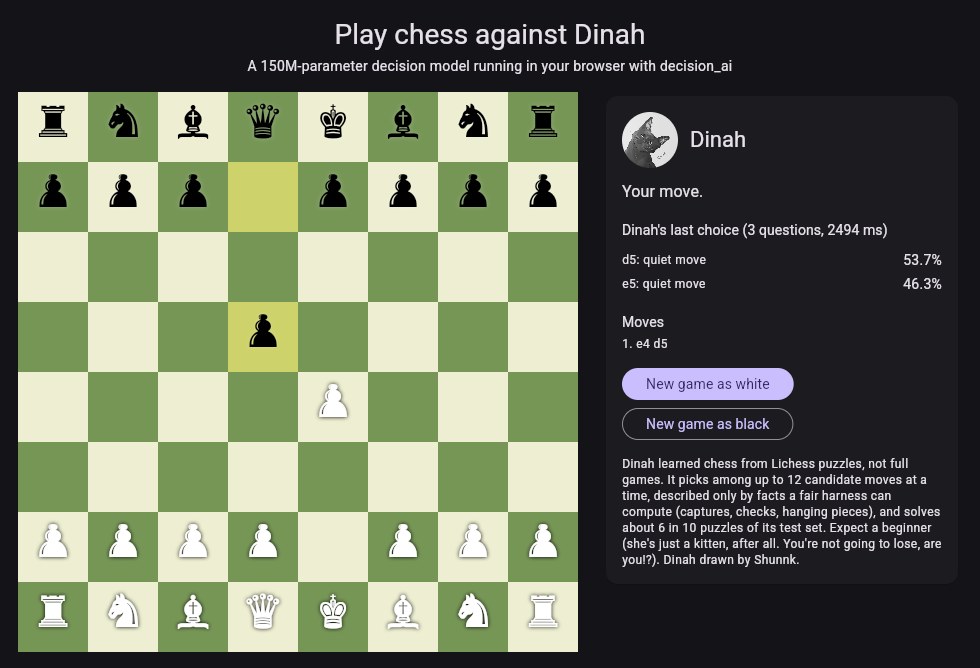
Play chess against Dinah
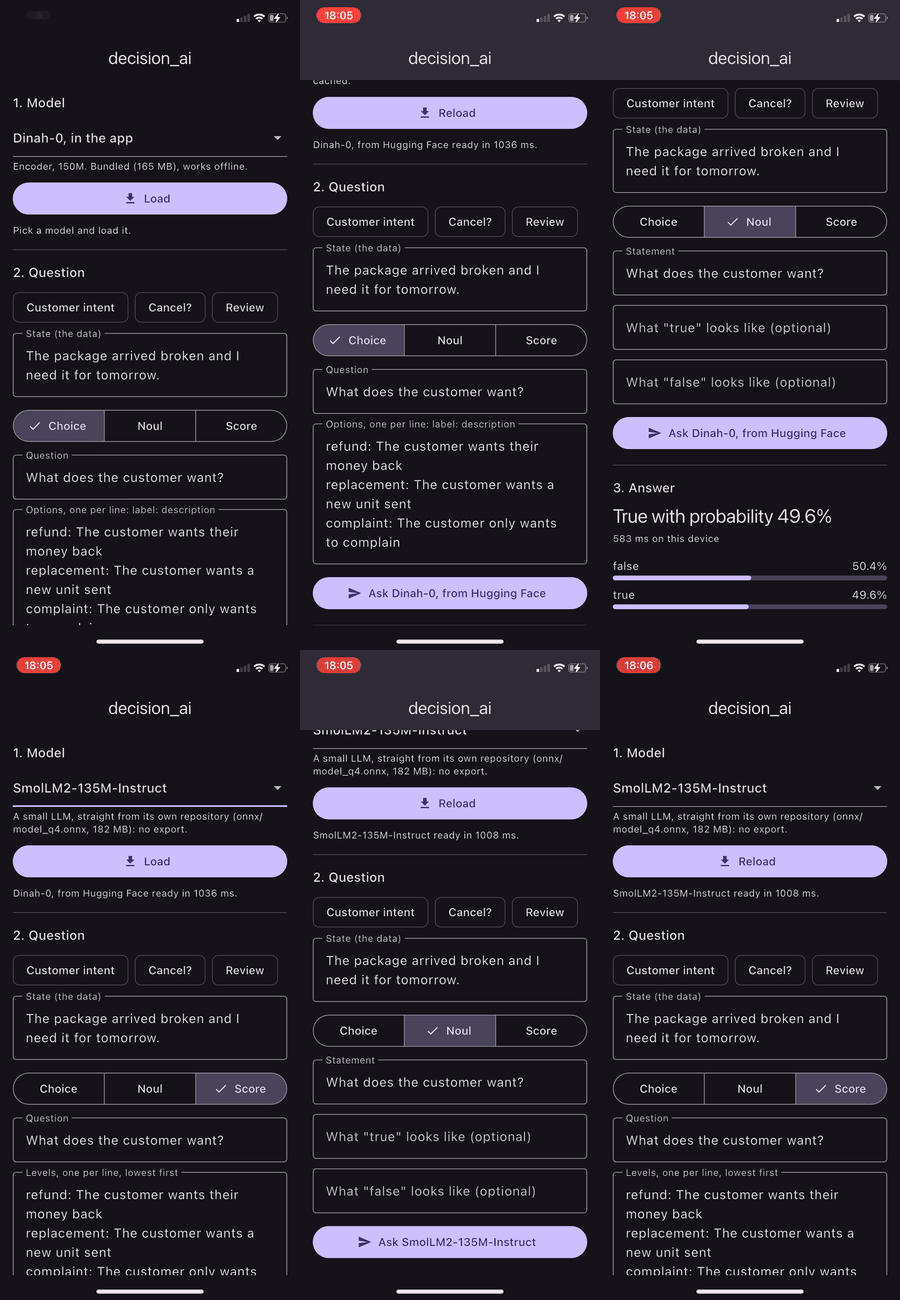
To show all of this running, we built two demos in the browser:
- Play chess against Dinah: you play against Dinah-0, entirely in your browser.
- Playground: you pick one of the open models from the table and ask your own questions.
Dinah learned chess from Lichess puzzles, choosing among at most 12 moves, described only with facts an honest referee would compute (capture, check, hanging piece). She solves about 6 in 10 puzzles of her test set. So expect a beginner (she’s just a kitten, after all, right? You’re not going to lose, are you!?).
I drew a won game against her by stalemate. I had a rook, a queen, a bishop and a knight against her lone king, played a bishop move that closed her last square without giving check, and the game ended in a draw. She didn’t even have to do anything, she just sat there, watching, like any cat does. The moral of the story: the demo now explains on screen when a draw is an official chess rule, and I learned to give check before cornering.
Worth remembering
decision_ai doesn’t intend to make a model any smarter. It runs the model faithfully, and that’s it. Small models make more mistakes, and small LLMs are weak deciders. It’s also worth remembering that:
- SentencePiece tokenizers (T5, Gemma, Llama 2) aren’t built in yet;
- in the browser, whole numbers written as decimals (
532.0) change an answer here and there; - Dinah-0 is CC BY-NC (non-commercial use). The library is MIT, and each model has its own license.
Every case is different. If your decision needs a big model, the same interface talks to an API.
Thank you
This was only possible because other people opened up their own work: Convai Innovations with Laya, the authors of Verdict, the SmolLM2 team, Qwen, the flutter_onnxruntime plugin and ONNX Runtime. And the Dinah in the demos’ avatar was drawn by @shunnk0.
The package is at pub.dev/packages/decision_ai and the code at github.com/Lukitaduarte/decision_ai, with a guide for coding assistants to bring in new models. If you want to try it, port a model or just lose a game to the kitten, leave a comment here.